
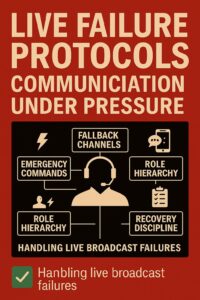
Live broadcasts are unforgiving environments. When something goes wrong, live broadcast failure protocols become the difference between recovery and chaos. Whether it’s a lost signal, frozen graphics, or a camera blackout, the director’s ability to communicate clearly and decisively is critical.
1. Predefined Emergency Commands in Live Broadcast Failure Protocols
In high-pressure moments, there’s no time for improvisation. Teams must rely on short, standardized commands that are:
- Memorized by all crew members
- Consistent across productions
- Clear and unambiguous
Examples:
- “Black to cam 2” — switch to backup camera
- “Kill graphics” — remove all overlays
- “Hold audio” — mute all mics except anchor
These commands should be rehearsed during tech checks and dry runs.
2. Fallback Communication Channels
When the primary intercom fails, teams must switch instantly to backup methods:
- Secondary intercom line (wired or wireless)
- Mobile group chat (e.g., Signal, WhatsApp)
- Hand signals or tally light overrides
- Walkie-talkie fallback for field teams
The switch protocol should be:
- Predefined (e.g., “Switch to Line B”)
- Confirmed with a visual cue (e.g., flashing tally)
- Logged for postmortem review
These fallback channels are essential parts of live broadcast failure protocols.
3. Role-Based Communication Hierarchy
In failure scenarios, communication must be filtered to avoid overload:
- The director speaks only to TD and the camera leads
- The stage manager coordinates the floor crew
- Audio lead handles mic recovery
This prevents cross-talk and ensures that each team receives only relevant instructions.
4. Silent Recovery Protocols
Some failures require silent coordination:
- Camera operators switch to pre-agreed framing
- The graphics team loads the fallback slate without a verbal cue
- The audio team fades to the ambient mic automatically
These actions should be rehearsed and documented. Silent coordination is a vital layer of live broadcast failure protocols.
5. Post-Failure Communication Discipline
Once the failure is resolved:
- Director confirms recovery status to all teams
- TD logs the exact time and nature of the failure
- No blame or chatter during live segment
Emotional discipline is key. Debriefing happens after the show.
6. Training and Simulation
To prepare for real failures:
- Run monthly failure drills
- Simulate intercom loss, camera dropout, graphics freeze
- Rotate roles so all crew experience pressure
The goal is not perfection, but reflex-level response.
Summary
Live failures are inevitable. What matters is how teams respond. With predefined commands, fallback channels, and disciplined communication, even the worst-case scenario can be managed with professionalism and calm.
Every team should rehearse live broadcast failure protocols to ensure calm and control under pressure.
Series Index: Communication in Live Broadcast Production
- Communication in Live Broadcast Directing: How directors coordinate their teams in real time
- Communication Equipment for Live Broadcast Teams: From basic to professional intercom systems
- Director–Host Communication: Balancing Control and Flow: IFB, tone, timing, and on‑air guidance
- Working Under Pressure: Communication Protocols During Live Failures: Emergency commands, fallback actions, stress discipline
- The Psychology of Team Communication in Live Broadcast: Trust, emotional stability, rituals, and roles
- Field–Truck Communication: Ensuring Reliable Coordination: Stage management, mobile operators, safety
- Communication in Hybrid and Remote Productions: VoIP intercoms, latency, remote hosts, redundancy
- Multi‑Team, Multi‑Layer Broadcast Communication: Orchestrating complex productions with multiple crews
Reference source used while preparing this article on studfile.net.