
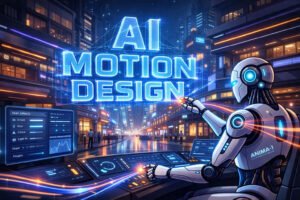
Motion design has always been the backbone of professional video production. Titles, transitions, animated typography, and visual effects shape the rhythm of a video and guide the viewer’s attention. Today, AI is transforming motion design from a time‑consuming craft into a fast, accessible, and highly creative workflow.
This article explores how AI enhances motion graphics, which tools matter, and how creators can integrate AI‑powered motion design into their production pipeline.
What Is Motion Design — and Why AI Matters Now
Motion design is the art of animating graphic elements: text, shapes, logos, icons, and interface components. Unlike static AI visuals, motion graphics operate inside video, adding structure, clarity, and emotional impact.
AI is not replacing motion designers. Instead, it is automating repetitive tasks, generating variations instantly, and making professional animation accessible to creators who previously lacked the skills or time.
Key difference:
- AI visuals → static images
- AI motion design → animated titles, transitions, VFX, dynamic typography
Where AI Motion Design Is Used Today
AI‑powered motion graphics are already common in:
- YouTube intros and outros
- Lower thirds and nameplates
- Logo animations and branded stingers
- Scene transitions (zoom, warp, glitch, morph)
- Animated typography
- Infographics and explainer videos
- Social media content (Reels, TikTok, Shorts)
- AI‑generated VFX overlays
The demand is rising because creators want professional motion graphics without the complexity of After Effects.
How AI Is Transforming Motion Design
1. Automating Repetitive Work
AI tools can now generate:
- Titles from plain text
- Animated lower thirds
- Logo intros and outros
- Scene transitions
- VFX overlays
- Motion templates for social media
Tasks that used to take hours now take minutes.
2. Accelerating Production
AI reduces production time by 10–20×:
- Instant style variations
- Auto‑animation of text and shapes
- Automatic color matching
- AI‑driven stabilization and masking
- Smart motion presets
Creators can iterate faster and deliver more content.
3. Unlocking New Creative Possibilities
AI enables:
- Motion design from text prompts
- VFX generation without compositing
- Depth‑aware animations
- Camera movement simulation
- AI‑driven particle effects
This expands what small teams and solo creators can achieve.
Best AI Tools for Motion Design
Runway
- Motion Brush
- Gen‑1 / Gen‑2 video transformation
- AI VFX overlays
- Automatic transitions
- Style‑consistent title animations
Pika Labs
- Text‑to‑animation
- Dynamic typography
- Short animated stingers
- AI‑generated transitions
Kaiber
- Music‑driven motion graphics
- Logo animations
- Stylized motion templates
Adobe Sensei (After Effects)
- AI masking and rotoscoping
- Auto‑Transitions
- AI‑powered text animation
- Smart stabilization
Luma
- Depth maps
- 3D camera tracking
- Realistic VFX generation
Motion Design Tasks AI Handles Best
AI excels at:
- Titles — intros, outros, animated typography
- Transitions — zoom, warp, glitch, morph
- VFX — particles, light effects, distortion
- Logo animations — branded stingers
- Lower thirds — automated styling
- Infographics — animated charts and diagrams
These elements are predictable, template‑friendly, and easy for AI to automate.
Practical Use Cases for Creators and Businesses
YouTube & Content Creators
- Fast intro/outro production
- Branded transitions
- Animated call‑to‑action elements
Education & Explainers
- Animated diagrams
- Highlighted text animations
- Motion‑driven storytelling
Marketing & Advertising
- Logo reveals
- Motion banners
- AI‑generated VFX for promos
Social Media
- Reels/TikTok motion templates
- Animated quotes
- Dynamic transitions
Limitations of AI Motion Design
AI is powerful, but not perfect:
- It struggles with complex compositions
- It cannot fully understand editing rhythm
- It may generate overly busy animations
- It sometimes misses brand guidelines
- It cannot replace creative direction
AI is a tool — not a substitute for human taste.
The Future of AI in Motion Design
Over the next few years, AI will enable:
- Full motion graphics generation from text prompts
- Smart typography reacting to audio
- Automated editing pipelines with built‑in motion design
- Real‑time VFX generation
- Personalized motion templates for brands
Motion design will shift from manual animation to AI‑assisted creative direction.
Conclusion
AI is reshaping motion design by automating repetitive tasks, accelerating production, and expanding creative possibilities. Titles, transitions, and visual effects — once time‑consuming — are now accessible to every creator.
Motion design is not disappearing. It is evolving.
Creators who embrace AI will produce more content, faster, with higher visual quality — and without the traditional technical barriers.
For a broader industry perspective, see this external analysis of how AI is reshaping video production workflows and accelerating the shift toward automated filmmaking.
“AI in Creative Production” Series
- Part 0: AI and the Collapse of Traditional Video Production: What Creators Need to Know in 2025–2030
- Part 1: AI for Ideas and Topic Research: How Creators Can Use AI to Generate Topics, Validate Demand, and Find Unique Angles
- Part 2: AI for Scriptwriting and Story Structure: How to Build Hooks, Flow, and Retention with AI as Your Co‑Author
- Part 3: AI for Video Creators: Preparing for a Shoot with Storyboards, Shot Lists, Checklists, and Smart Prompts
- Part 4: AI for Editing: Automating Cuts, Music, Rhythm, Subtitles, and B‑roll in 2026
- Part 5: AI for Visuals: Thumbnails, Infographics, Styling, Frames, and Illustrations in 2026
- Part 6: AI for Voice and Audio
- Part 7: AI for Analytics and Channel Growth
- Part 8: AI as Your Personal Producer
- Part 9: Shorts with AI: From Viral Idea to Final Cut
- Part 10: AI Animation: From Static Frame to Motion
- Part 11: AI for 3D Modeling — Generating Objects, Textures, and Environments
- Part 12: AI for Simulation — Generate Worlds, Physics & Behaviors
- Part 13: AI for Motion Design: Titles, Transitions, and Visual Effects (current article)
- Part 14: AI for Cinematic Production — Integration with Editing and Sound