
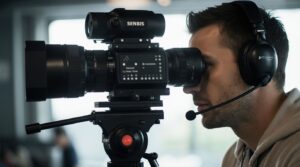
Live broadcast directing is fundamentally about communication. Cameras, audio, graphics, lighting, stage management, and production all operate simultaneously, and the director is the central node that keeps the entire system synchronized. In a live environment with no retakes and no post‑production safety net, clear communication becomes the most critical skill a director can master.
This article explores how communication works inside a live production team, what types of messages a director uses, and how professional workflows keep broadcasts smooth, predictable, and safe — even when the unexpected happens.
Why Communication Is the Backbone of Live Broadcast Directing
In a live broadcast, everything happens at once: performance, camera movement, audience reaction, technical adjustments, and editorial decisions. The director must:
- maintain situational awareness
- anticipate upcoming cues
- coordinate multiple operators
- react instantly to changes
- keep the broadcast visually coherent
Without a structured communication system, even a simple two‑camera stream can fall apart. With proper communication, a complex multi‑camera show feels effortless.
Key Roles Involved in Live Broadcast Communication
A director interacts with multiple specialists, each responsible for a different part of the broadcast:
Camera Operators
Receive framing instructions, movement cues, and readiness calls.
Technical Director (Vision Mixer)
Executes camera cuts, transitions, and graphics on the director’s command.
Audio Engineer
Balances microphones, music, and ambient sound and resolves audio issues in real time.
Graphics Operator
Handles lower thirds, titles, overlays, and timing of visual elements.
Stage / Floor Manager
Communicates with presenters, guests, and on‑stage talent.
Lighting Technician
Adjusts lighting levels or fixes issues during the broadcast.
Producer
Oversees timing, editorial decisions, and overall flow of the show.
Each role depends on the director’s clarity and timing.
Types of Communication Used During a Live Broadcast
1. Command Communication
Short, precise, actionable instructions.
Examples:
- “Camera 2, ready.”
- “Camera 3, take.”
- “Stand by graphics.”
- “Audio, bring up mic 1.”
2. Informational Communication
Updates that help the team anticipate upcoming actions.
Examples:
- “Next segment in 30 seconds.”
- “We’re skipping the next graphic.”
- “Guest is delayed; adjust timing.”
3. Corrective Communication
Real‑time adjustments to maintain quality.
Examples:
- “Camera 1, tighten the shot.”
- “Audio, reduce background noise.”
- “Graphics, hold the lower third.”
4. Emotional Regulation
A director sets the tone. Calm, steady communication keeps the team focused, especially during unexpected events.
Communication Tools and Channels
Professional teams use a combination of tools:
Intercom / Talkback Systems
Clear-Com, Riedel, Unity, and other systems offer full-duplex communication.
Hand Signals
Useful for operators who cannot wear headsets (e.g., on stage).
Shared Rundowns
Google Docs, Notion, or specialized tools like Rundown Creator.
Messaging Platforms
Slack, Discord, WhatsApp — for pre‑production and coordination.
Tally Systems
Indicate which camera is live or on standby.
The Director’s Communication Style
A good director communicates in a way that is:
- short — no unnecessary words
- predictable — consistent vocabulary
- calm — even under pressure
- timely — commands come before the action
- structured — clear separation between commands and commentary
The goal is not to sound dramatic, but to be understood instantly.
Typical Communication Flow During a Live Event
Before Going Live
- system checks
- intercom tests
- reviewing the rundown
- confirming responsibilities
- rehearsing cues
During the Broadcast
- issuing commands
- adjusting shots
- managing timing
- reacting to unexpected events
- coordinating transitions
After the Broadcast
- debriefing
- reviewing mistakes
- updating workflows
- improving team coordination
Post‑event communication is where teams grow stronger.
Common Communication Mistakes
- overly long commands
- unclear or inconsistent terminology
- emotional reactions
- multiple people speaking at once
- lack of confirmation (“copy”, “received”)
- improvising instead of following the rundown
These mistakes slow down the team and increase the risk of on‑air errors.
Best Practices for Effective Live Broadcast Communication
- Keep commands short and unambiguous
- Use a consistent vocabulary
- Maintain a calm tone
- Give cues early (“stand by”, “ready”, “go”)
- Confirm all critical instructions
- Avoid unnecessary chatter
- Review communication protocols before each show
Professional teams sound almost rhythmic — a steady flow of cues and confirmations.
Conclusion
Communication in live broadcast directing is not just about talking — it’s about creating a predictable, structured environment where every team member knows what to expect and when to act. With clear commands, reliable tools, and disciplined communication habits, a director can turn even a chaotic live environment into a smooth, controlled production.
Series Index: Communication in Live Broadcast Production
- Communication in Live Broadcast Directing: How directors coordinate their teams in real time
- Communication Equipment for Live Broadcast Teams: From basic to professional intercom systems
- Director–Host Communication: Balancing Control and Flow: IFB, tone, timing, and on‑air guidance
- Working Under Pressure: Communication Protocols During Live Failures: Emergency commands, fallback actions, stress discipline
- The Psychology of Team Communication in Live Broadcast: Trust, emotional stability, rituals, and roles
- Field–Truck Communication: Ensuring Reliable Coordination: Stage management, mobile operators, safety
- Communication in Hybrid and Remote Productions: VoIP intercoms, latency, remote hosts, redundancy
- Multi‑Team, Multi‑Layer Broadcast Communication: Orchestrating complex productions with multiple crews
Reference source used while preparing this article on studfile.net.