
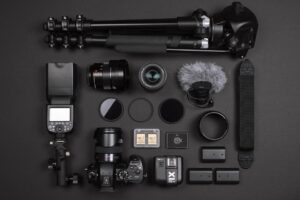
Affordable streaming setup 2025 helps Canadian creators deliver professional livestreams without overspending. With the right gear and platforms, streaming is both affordable and reliable.
Whether you’re a gamer, educator, nonprofit organizer, or live event producer, high-quality streaming starts with the right gear. This guide breaks down essential equipment and software for Canadian streamers—tailored to local availability, platforms, and workflows.
Affordable Streaming PC Setup in Canada
| Component | Recommendation |
|---|---|
| Monitor | QHD 165Hz+ or 4K HDR10 120Hz+ (LG UltraGear, ASUS ProArt) |
| Processor | Intel i7–14700K or AMD Ryzen 7 7800X3D |
| Graphics Card | NVIDIA RTX 4070/4080 Super or AMD RX 7900 XTX |
| Cooling | Noctua NH-D15 or Arctic Liquid Freezer II |
| RAM | 16GB minimum, 32GB preferred |
| SSD | PCIe 4.0 M.2 (Samsung 990 Pro, WD Black SN850X) |
| Motherboard | Supports PCIe 5.0, DDR5, fast M.2 storage |
Choosing a Camera
- Webcams: Logitech StreamCam, Elgato Facecam
- Mirrorless/DSLR: Sony ZV-E10, Canon EOS R50
- Action cams: GoPro Hero 11
Microphones and Audio Gear
- Dynamic: Shure SM58, Rode PodMic
- Condenser: AT2020, Elgato Wave:3
- USB: Blue Yeti X
- XLR: Focusrite Scarlett 2i2
- Accessories: Pop filter, shock mount, boom arm
Lighting and Background
- Ring light (Neewer, Elgato)
- Two LED panels for even lighting
- RGB lights (Govee, Nanoleaf)
- Green screen (Elgato Green Screen)
Streaming Software
Recommended tools include OBS Studio, Streamlabs, Wirecast, Zoom, and Bandicam. OBS and Streamlabs are free and widely used in Canada. Wirecast offers professional-grade features for paid users.
With these tools, your affordable streaming setup 2025 remains cost‑effective and reliable.
Affordable Streaming Setup 2025 — Essential Gear
This affordable streaming setup 2025 includes essential gear like cameras, microphones, and software that Canadian creators can rely on.
- High-performance PC or laptop
- Full HD/4K camera with autofocus
- USB/XLR microphone + headphones
- LED lighting + RGB accents
- Green screen or backdrop
- Second monitor or tablet
- OBS Studio or Streamlabs
- Capture card for console/camera input
This article is an adapted and localized version of the original guide published by MTS Link © MTS Link, 2022. Used with attribution for educational and editorial purposes.
If you’re looking for practical ways to keep costs low, see our Budget‑friendly Event Streaming in Canada 2025 article for affordable setups and strategies.
Work with Live Streaming Video Solutions
For professional-grade streaming setups, workflow consulting, and event support across Canada, we recommend Live Streaming Video Solutions — a trusted provider specializing in high-performance gear, platform integration, and remote production services.
- Custom setups for gaming, education, nonprofit, and hybrid events
- Consulting on OBS, Streamlabs, Zoom, Vimeo, and multi-platform workflows
- Support for mirrorless cameras, capture cards, lighting, and audio optimization
To learn more or request a consultation, get in touch with Live Streaming Video Solutions today.